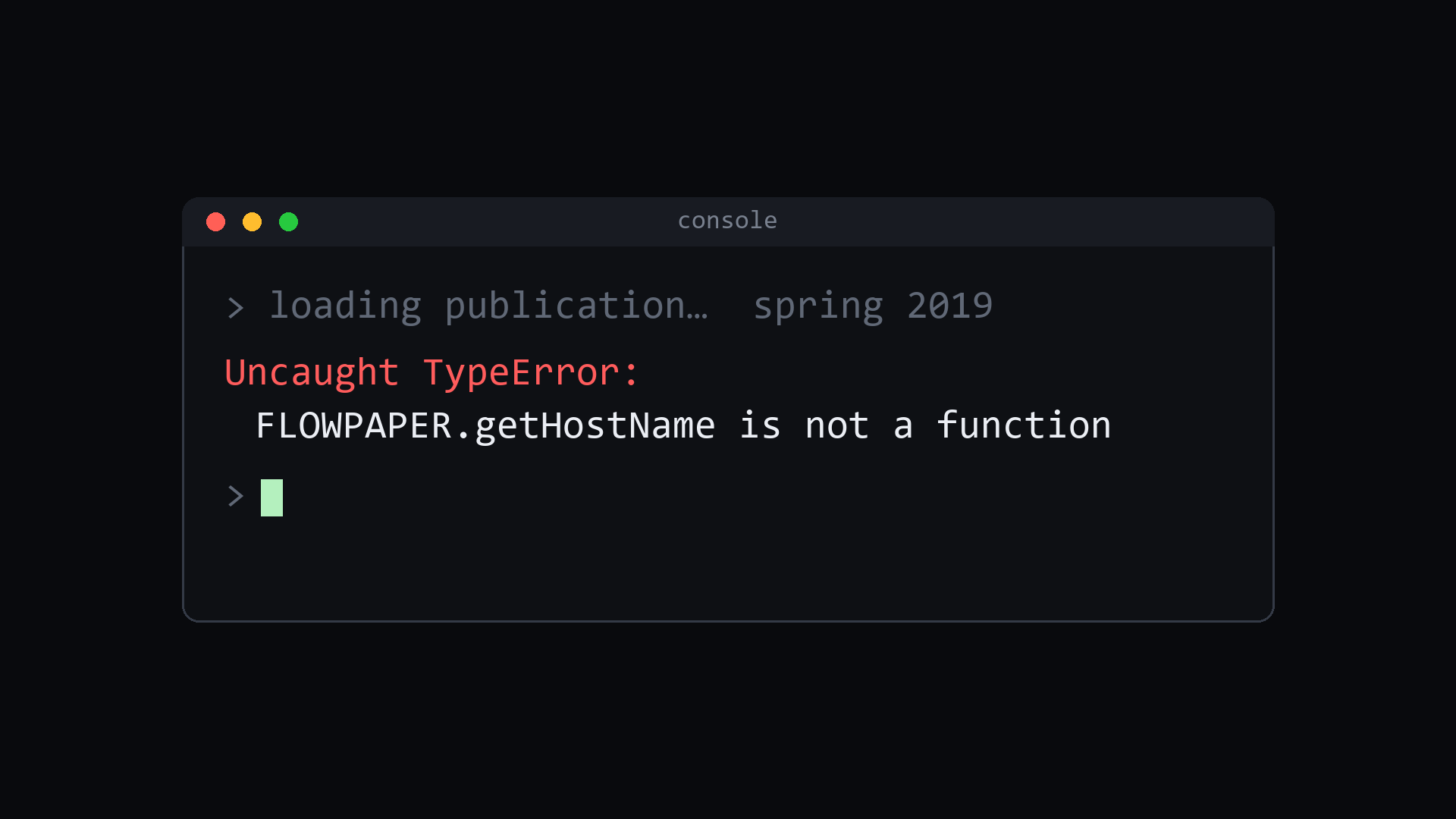
In March, a vendor told me to replace two files. I did. The bug was fixed — and more than 150 publications went dark.
One of my clients is a publishing company, and part of that gig is keeping their digital magazine platform alive: hundreds of flip-book publications, going back more than fifteen years, for dozens of their own clients — trade associations, industry groups, member organizations.
The platform’s vendor had emailed about a rendering issue introduced by a new version of Google Chrome. The fix was simple, they said: replace two files across your publications — a viewer script and a stylesheet — and the problem goes away.
So I did what any responsible admin does. I applied the patch. The font issue was fixed. And then, quietly, the archive started going black.
The slow-motion failure
Nobody notices an archive breaking. That’s what makes this failure mode so dangerous.
Current issues get read the day they publish. If the spring 2026 edition of a magazine won’t load, the phone rings within the hour. But a trade magazine from 2019? An association’s 2012 annual? Those get visited by someone chasing a citation, a board member looking up their own history, an advertiser verifying a placement. The traffic is thin — and so is the feedback loop.
The older publications died in March, and it took weeks for the pattern to surface: black screens, no error message, no cover, nothing. Everything published between 2019 and mid-2022, plus one organization’s entire run back to 2009.

The cruelest part: the damage was caused by the fix. The patch instructions replaced the viewer — but the new viewer depended on a third file, a companion library, that the instructions never mentioned. Any publication carrying the older companion crashed on the very first function call.

Recently generated publications already had the new file and worked fine, which made the breakage look random. It wasn’t random. It was every single publication old enough to have the old file — which is to say, precisely the archive.
What it actually took to fix
The root cause was one line in a minified JavaScript file: the new viewer calling a function that didn’t exist in the old companion library. Finding that line took a week of digging, a few hours a day, mostly down dead ends. The obvious explanations — browser changes, server problems, corrupted files — were all wrong. And the vendor’s support thread never mentioned the dependency, because their own patch notes didn’t know about it.
And here’s the freelancer’s reality: when a vendor’s patch breaks a client’s archive, the vendor doesn’t absorb that. I do. The client sees black screens and a contractor who “updated something.” There’s no engineering team behind me to escalate to — there’s me, a browser console, and a vendor support inbox. So I dug through the minified viewer myself until the crash gave up its secret.
Once found, the repair was almost insulting in its simplicity: ship the complete file set instead of a partial one. Then a second layer surfaced — pages rendered but wouldn’t turn, because two more companion files were also version-locked to the new viewer. And beneath that, a third layer: a server-side cache was serving stale copies of the very files I was replacing, making every fix look like a failure until the cache was flushed.
Three layers deep. For a patch that was advertised as “replace two files.”

The identity problem
Here’s the part I want publishers, associations, and the vendors who serve them to sit with.
When an organization publishes a magazine, they aren’t just producing this quarter’s issue. They’re building a record. A construction association’s archive is the documented history of its industry’s response to a pandemic. A farm advisory group’s back issues are a decade of its members’ names, ideas, and credibility in print. When someone tells a colleague “we covered that in 2015 — here’s the link,” that link is the organization, publicly vouching for itself.
A black screen where that history used to be isn’t a rendering bug. It’s an institution’s memory going missing while nobody’s watching. “Old issues get read less” is true, and it is also completely beside the point — identity doesn’t expire on a traffic schedule.
What vendors owe paying customers
None of this required exotic engineering to prevent. It required a vendor to do four unglamorous things:
- Test patches against old output, not just current output. Your customers’ archives run every version you’ve ever shipped. If your patch only works against last year’s publications, it isn’t a patch — it’s a trap for everyone with a history.
- Ship complete manifests. If file A calls a function that only exists in the new file B, then A and B are one unit. “Replace these two files” instructions that silently require a third file aren’t incomplete documentation; they’re an outage with a delay timer.
- Name the failure mode. A one-line addendum — “if you see
function is not a functionerrors on older publications, you also need file X” — would have turned a week-long investigation into a five-minute fix. - Listen when a customer reports the impossible. “The patch fixed new publications and killed old ones” is not user error. It’s the most specific bug report you will ever receive.
What admins and site owners can do in the meantime
I learned to defend myself, and you can too: patch one old publication first — the oldest you have, not the newest — and test it in a private browser window before rolling anything out. Rename, don’t overwrite — keep the old files beside the new ones so rollback is a rename, not a restore. Check the whole console, not just the page — the error that explains everything is usually sitting right there. And audit the archive on a schedule, because the whole lesson of this incident is that nobody else is looking at it.
The archive is back. All of it — the 2009 issues included. But it came back because one stubborn contractor refused to accept that it was gone, not because the system that broke it ever noticed.
Your archive deserves better than that. Vendors: test against the old stuff. That’s where your customers keep who they are.
Leave a Reply